
⚡ Key takeaways
- There is no official Bilibili API (and no API key) for comments, danmaku, video stats or UP主 data.
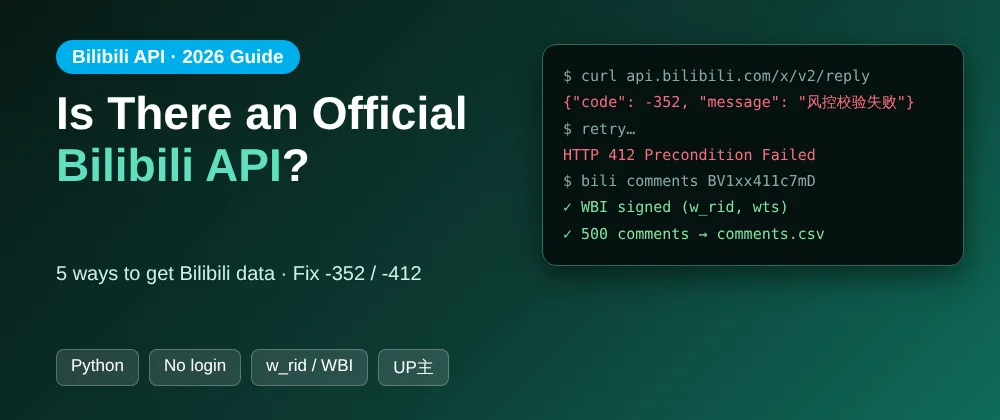
-352= missing/stale WBI signature (w_rid,wts);-412= your IP was rate-limited.- Tutorials from before 2023 use unsigned endpoints, which is why they fail today.
- Fastest fix: an open-source scraper with signing built in, or the hosted one from $1 per 1,000 comments.
Short answer: Bilibili (哔哩哔哩, B站) has no official public API for comments, danmaku, video stats or creator data. The endpoints that bilibili.com itself uses are undocumented, require WBI signing (w_rid and wts parameters), and block unsigned or fast requests with errors like -352 and -412. To get Bilibili data in 2026 you either handle that yourself or use a scraper that already does.

Is there an official Bilibili API?
No, not for public data. There is no self-serve Bilibili API key that gives you comments, danmaku, video stats or creator profiles. What developers call "the Bilibili API" is the set of internal web endpoints under api.bilibili.com that the website calls in your browser. They're undocumented and they change without notice.
Is there a Bilibili API key or documentation?
There is no public API key for this data. The only "documentation" is community-maintained notes on GitHub, written by reverse-engineering the website. They're useful, but they go out of date whenever Bilibili changes its signing or risk control.
Why does the Bilibili API return -352 or -412?
| Error | What it means | Fix |
|---|---|---|
-352 |
Risk control: the request is missing a valid WBI signature (w_rid / wts), or looks automated |
Sign the request with fresh WBI keys, send device cookies (buvid3), slow down |
-412 / HTTP 412 |
"Request was banned": your IP is sending too much, too fast | Back off, add delays, rotate to another IP or proxy |
code: 0 but empty data |
Silent risk control: Bilibili returns only a v_voucher instead of data |
Detect it and retry; don't treat it as an empty page |
Most tutorials written before 2023 use old unsigned endpoints, which is why they now fail with these errors.
How do you get the w_rid parameter?
w_rid is an MD5 signature that Bilibili calls WBI. Your client fetches two keys (img_key and sub_key) from the nav endpoint, mixes them into a "mixin key", sorts the request parameters, adds a timestamp (wts) and hashes everything. The keys rotate, so they have to be refreshed when a signature is rejected.
You can implement it yourself, or use a library or scraper that already does it. A full Python walkthrough is in how to scrape Bilibili comments.
5 ways to get Bilibili data (compared)
| Method | Cost | Setup | Handles WBI and risk control | Best for |
|---|---|---|---|---|
| 1. Official API | n/a | n/a | n/a | Doesn't exist for public data |
2. DIY requests script |
Free | Hours to days | You build and maintain it | Learning, one-off jobs |
| 3. Community Python libraries | Free | Minutes | Partly; they can break when Bilibili changes | Developers who don't mind fixing breakages |
| 4. Open-source scraper (self-host) | Free | Minutes | Yes | Developers who want full control |
| 5. Hosted scraper (no code) | Pay per result | Seconds | Yes, plus proxies | Analysts, marketers, scheduled monitoring |
Options 4 and 5 can be the same tool. The Bilibili Scraper is open source (GitHub, MIT) and also runs as a hosted, no-code tool on Apify.
What data can you get without a login?
| Data | Login needed? |
|---|---|
| Comments, with full nested reply threads (23 fields each) | No |
| Danmaku (弹幕, bullet comments) with playback timestamps | No |
| Video stats: views, likes, coins, favourites, shares | No |
| UP主 (creator) profiles: followers, likes, level, verified | No |
| A creator's uploads, keyword search, popular and ranking feeds | No |
| Subtitles and AI captions | Yes: a SESSDATA cookie |
In a side-by-side test on 26 Oct 2026, the scraper's video stats and top 20 comments matched Bilibili exactly.
Bilibili API in Python: a working example
git clone https://github.com/Dunkmap/Bilibili-Scraper
cd Bilibili-Scraper
pip install -e .
import asyncio
from bilibili_scraper import Scraper

async def main():
    # No cookie or login needed; WBI signing and retries are handled for you
    async with Scraper(rate=4) as s:
        video = await s.video("BV1xx411c7mD")
        print(video["title"], video["views"])

        async for c in s.comments(video["bvid"], limit=200, replies=True):
            print(c["uname"], c["like"], c["content"])

        up = await s.user(video["owner_mid"])          # UP主 profile
        print(up["name"], up["followers"])

asyncio.run(main())
Or from the command line:
bili video BV1xx411c7mD -o videos.csv
bili comments BV1xx411c7mD --replies -o comments.csv
bili search "原神" --order click --limit 200 -o search.csv
No-code: the Bilibili API as a hosted tool
If you don't want to run Python, the hosted version works like an API you call from a form, a schedule, or code:
- Open the Bilibili Scraper and click Try for free.
- Choose
videos,comments,danmaku,subtitlesorusers(UP主). - Paste links or type keywords, then click Start.
- Export to Excel, CSV or JSON, or call it over Apify's REST API, Make, Zapier or MCP for AI agents.
Price: pay per result, no subscription: $1 per 1,000 comments, $2 per 1,000 videos or UP主 profiles and $0.05 per 1,000 danmaku.
For danmaku analysis, the Bilibili Danmaku Scraper adds a keyword filter and a free per-video highlight timeline. Comparing tools? See the Bilibili scraper comparison.